Inequalities and Piecewise Functions
How to Evaluate a Piecewise Function
To evaluate a piecewise function at x = a, first find which condition a satisfies, then substitute a into that piece’s formula only. At a boundary value, check the inequality signs: the piece with ≤ or ≥ at that point is the one to use. If no piece includes a, the function is undefined there.
Check it yourself: every example here can be loaded into the Piecewise Function Calculator.
Open the Piecewise Function CalculatorThe two-step rule
- Locate: which condition does the input satisfy?
- Substitute: use only that piece’s formula.
Never average pieces or use a neighbouring formula, even if the input is very close to a boundary.
Worked example
| Input | Which condition? | Formula | Value |
|---|---|---|---|
| f(−1) | −1 < 1 | 2x | −2 |
| f(0.5) | 0.5 < 1 | 2x | 1 |
| f(1) | 1 ≤ 1 < 4 | 3 | 3 |
| f(2.7) | 1 ≤ 2.7 < 4 | 3 | 3 |
| f(4) | 4 ≥ 4 | x − 2 | 2 |
| f(10) | 10 ≥ 4 | x − 2 | 8 |
The bold rows are boundary values — the ones most often answered wrongly.
- Evaluate f(1) for the three-piece function — opens the Piecewise Function Calculator
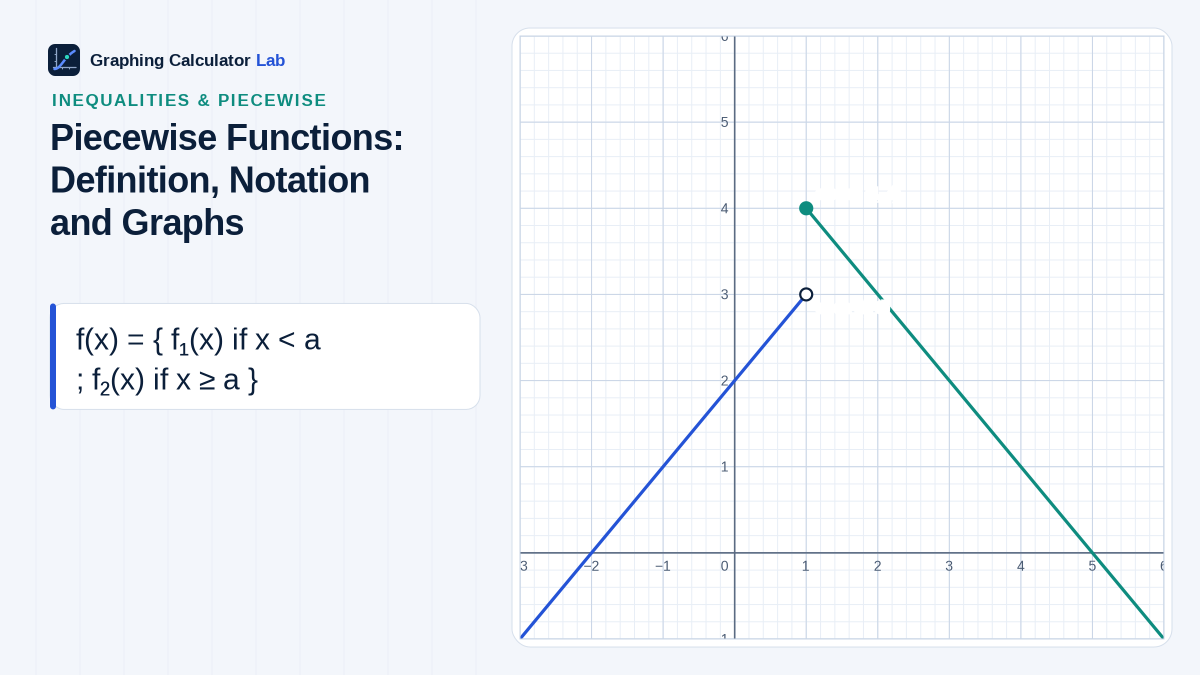
Text description of this figure
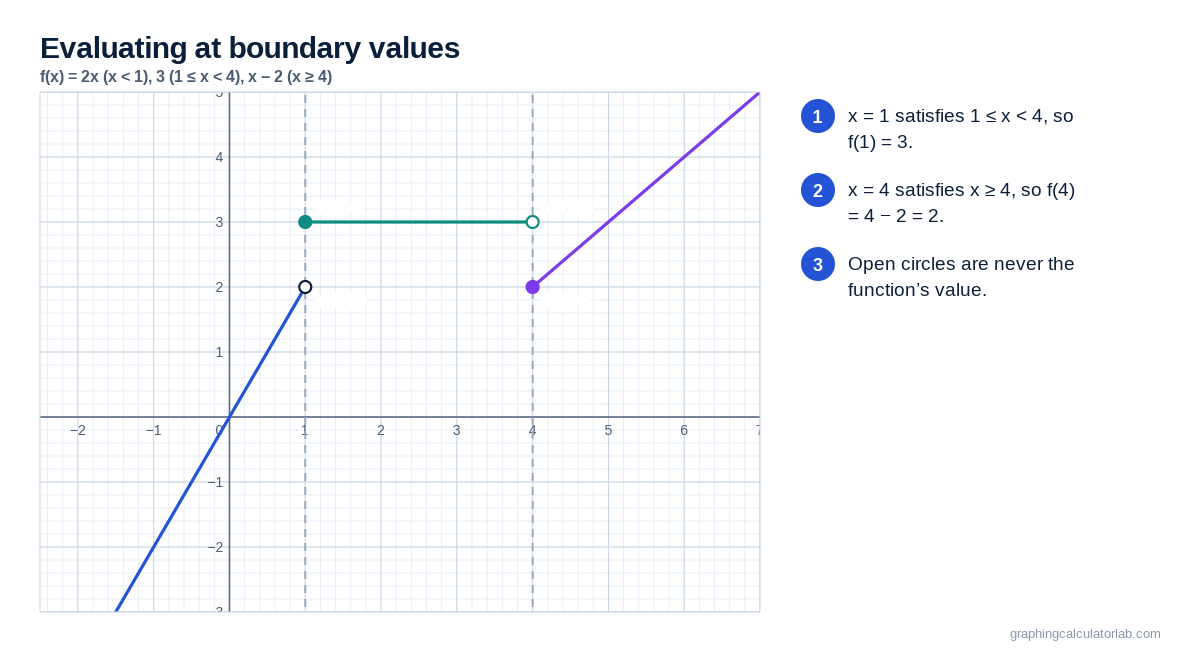
Graph of the three-piece function with x = 1 and x = 4 marked; at each boundary the closed dot shows which piece gives the value.
- x = 1 satisfies 1 ≤ x < 4, so f(1) = 3.
- x = 4 satisfies x ≥ 4, so f(4) = 4 − 2 = 2.
- Open circles are never the function’s value.
Boundary values
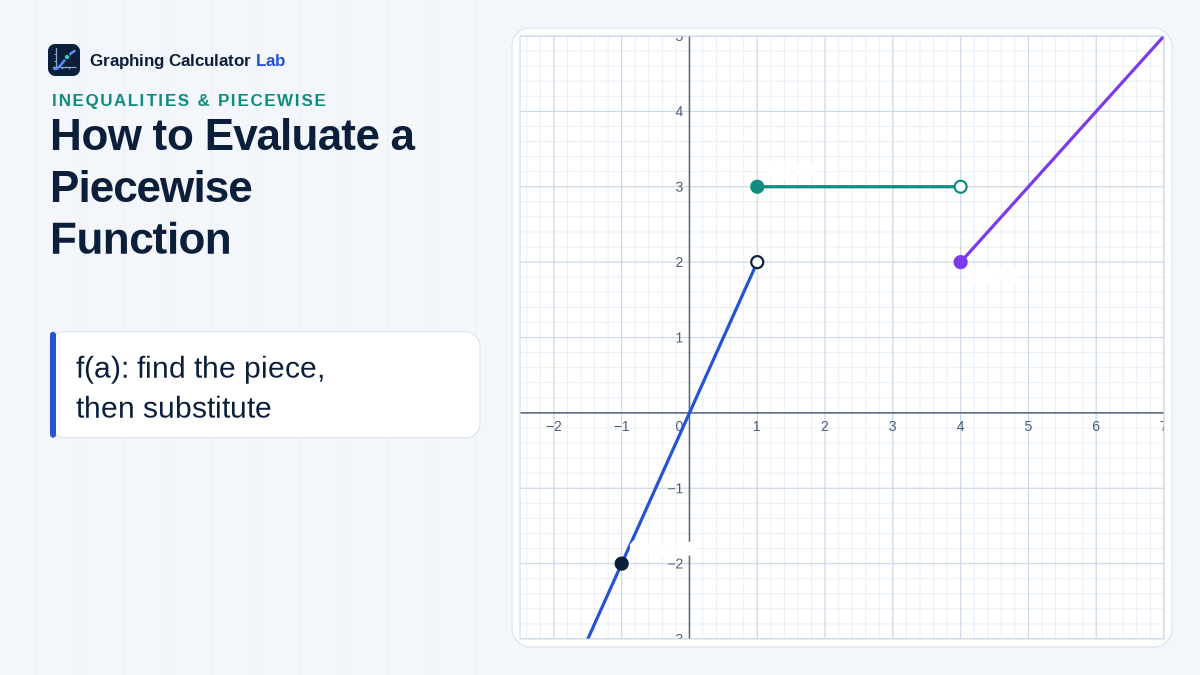
At x = 1, the first piece says x < 1, which 1 does not satisfy; the second says 1 ≤ x, which it does. So f(1) = 3, not 2·1 = 2. On the graph, (1, 2) is an open circle and (1, 3) is a closed dot.
At x = 4, the middle piece says x < 4 (excludes 4) and the last says x ≥ 4 (includes it). So f(4) = 4 − 2 = 2.
- Evaluate f(4) — opens the Piecewise Function Calculator
Reading values from a graph
- Find the input on the x-axis.
- Move vertically until you hit the graph.
- If you land on an open circle, keep looking: the value is the closed dot (or curve) at the same x.
- If there is nothing at that x, the function is undefined there.
Evaluating expressions with piecewise functions
Sometimes you need several values: f(0) + f(5) = 0 + 3 = 3. Or a composition: f(f(0.5)) = f(1) = 3. Evaluate the inner value first, then locate the piece for the result.
Common mistakes
- Using the formula of the piece that “looks right” on the graph without checking the inequality.
- Treating an open circle as the value.
- Substituting into every piece and listing several answers. A function has one output.
- Overlooking gaps where no piece applies.
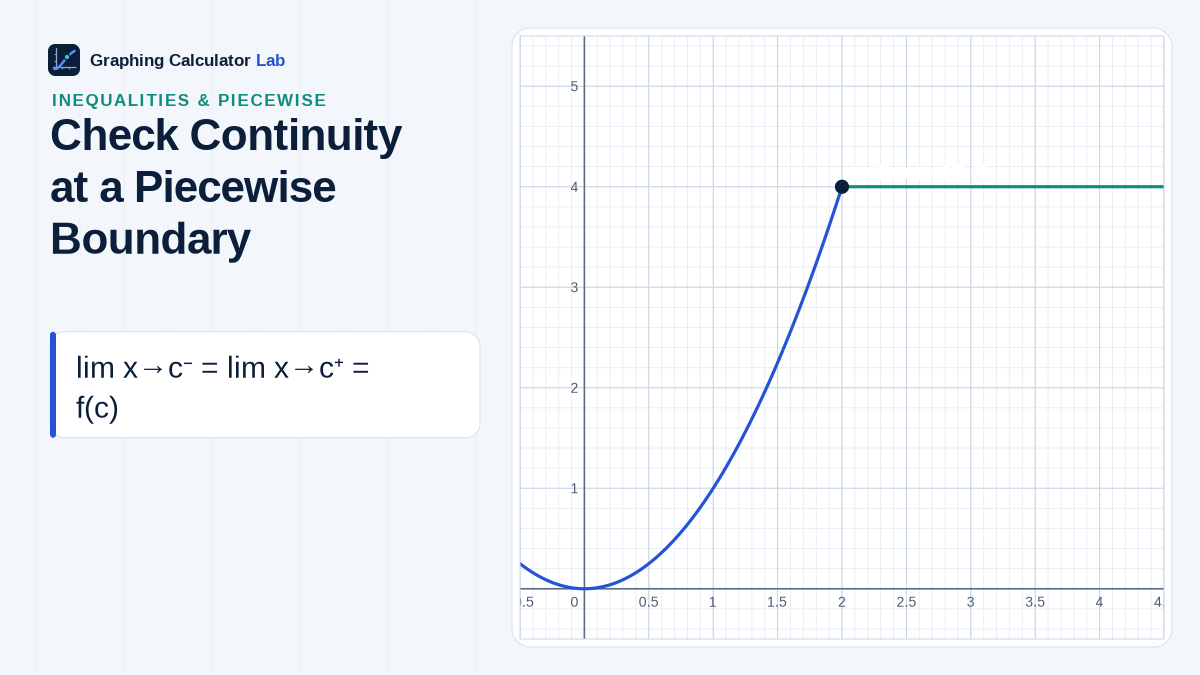
For whether the pieces join up, see continuity at piecewise boundaries.
Questions
What if the value matches no condition?
Then the function is undefined at that x — it is not in the domain. The calculator reports 'no branch includes this x'.
Can I read values from the graph instead?
Yes: go to the x-value and use the closed dot or the curve directly above or below it. Ignore open circles.
What about a value like f(1.0001)?
Decide the piece using the inequalities exactly: 1.0001 satisfies 1 ≤ x < 4, so f(1.0001) = 3.
Graph your own example with the Piecewise Function Calculator — free, in your browser.
Try it nowSources and further reading
Worked examples and figures were produced and checked with the Graphing Calculator Lab engine. See the editorial policy.